
Explore Runn’s latest product updates and improvements.

Several effort metrics in Reports have been renamed, including Total, Billable, and Non-Billable workload metrics. These are naming changes only and do not affect how the metrics are calculated.
Clearer, more consistent metric names make workload reports easier to understand and help distinguish between forecasted, scheduled, and actual workload at a glance.
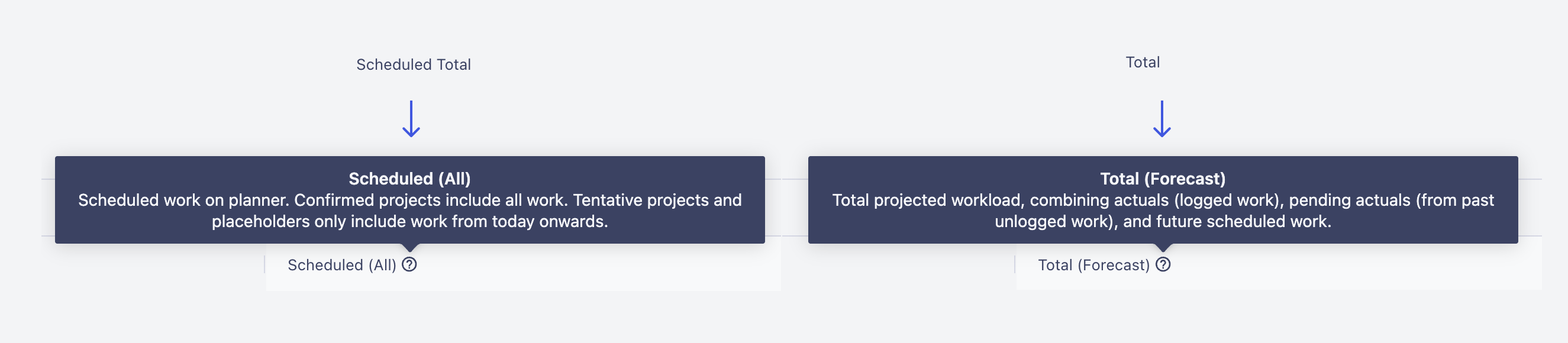
This update is available on all plans.
No action needed — this update will appear automatically. Check out our help doc for guidance on how to use this feature effectively.
Understand workload reports more easily. Clearer effort metric names make reports easier to understand right away.
We've updated how Project Revenue is calculated for Fixed Price projects with Other Charges. Other Charges are now recognized as revenue based on the dates they're incurred, while the remaining fixed project budget continues to be recognized over time.
Revenue from Other Charges now appears in the period it belongs to, making Project Dashboards and Reports easier to review and reconcile. This gives you a more accurate view of project revenue over time.
This update is available on all plans.
No action needed — this update will appear automatically. Check out our help doc for guidance on how to use this feature effectively.
Recognize Fixed Price revenue more accurately. Other Charges are now recognized as revenue based on the dates they're incurred.
Keyboard shortcuts are now available when hovering over assignments, making it faster to multi-select, select all to the right, transfer, split, and clone.
Assignment actions are often repeated when planning and adjusting work. Keyboard shortcuts help speed up these workflows, while improved visibility makes it easier to find and use available assignment actions when editing an assignment.
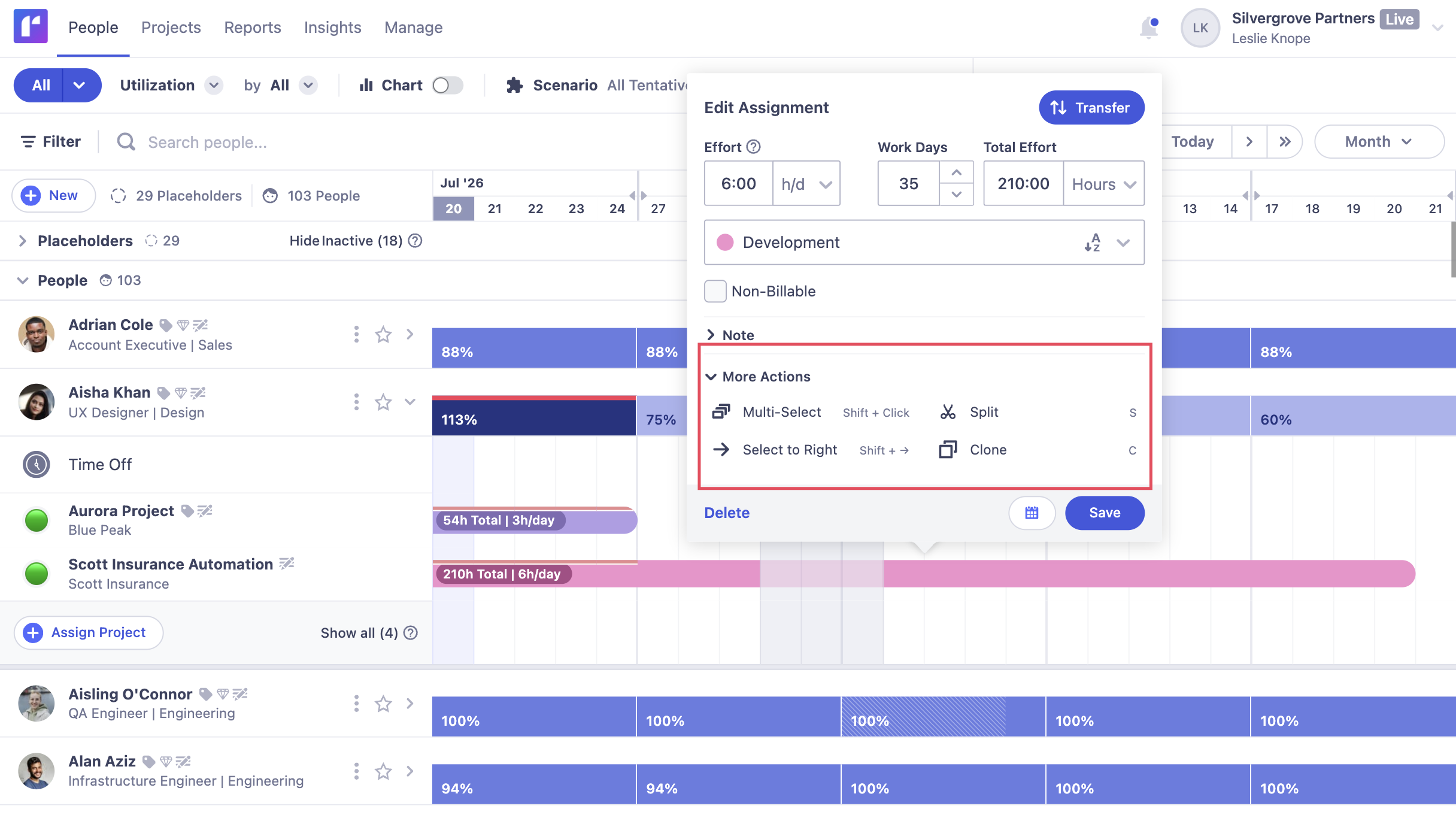
This update is available on all plans.
No action needed — this update will appear automatically.
Work with assignments faster. Use keyboard shortcuts to multi-select, select all assignments to the right, transfer, split, and clone assignments.
Admins and Managers can now remove people from projects without manually clearing all related assignments first.
Project teams often change as planning progresses. This update makes it easier to keep team members up to date, helping Admins and Project Managers manage project changes with fewer manual steps.
.png)
This update is available on all plans.
No action needed — this update will appear automatically.
Remove people from projects more easily. Admins can now remove people without manually clearing actuals. Managers can remove people who have assignments without actuals.
Save, manage, and compare different planning scenarios to understand how future demand could impact your team's capacity, availability, and utilization. Group tentative projects into scenarios, link filters to keep them updated automatically, and apply scenarios to reports for deeper analysis.
Make better planning decisions before work is confirmed. Model different sales outcomes, test the impact of high-priority projects or client demand, and identify where you may need additional resources or hiring. Comparing scenarios helps you plan with greater confidence as priorities change.
Check out the Product tour for Scenarios here.
.gif)
This update is available on Standard and Advanced plans. Standard includes up to 3 saved scenarios per user, while Advanced includes unlimited saved scenarios.
No action needed — this update will appear automatically. Check out our help doc for guidance on how to use this feature effectively.
Plan for different future outcomes with confidence. Create, save, and compare different tentative project groups to understand their impact on capacity, availability, and utilization.
The Activity Log now includes a user filter. This makes it easier to view activity from specific users in your workspace.
Quickly find the activity you're looking for, whether you're reviewing team engagement, following changes, or investigating recent actions. Filtering by user helps you focus on the activity that matters most.
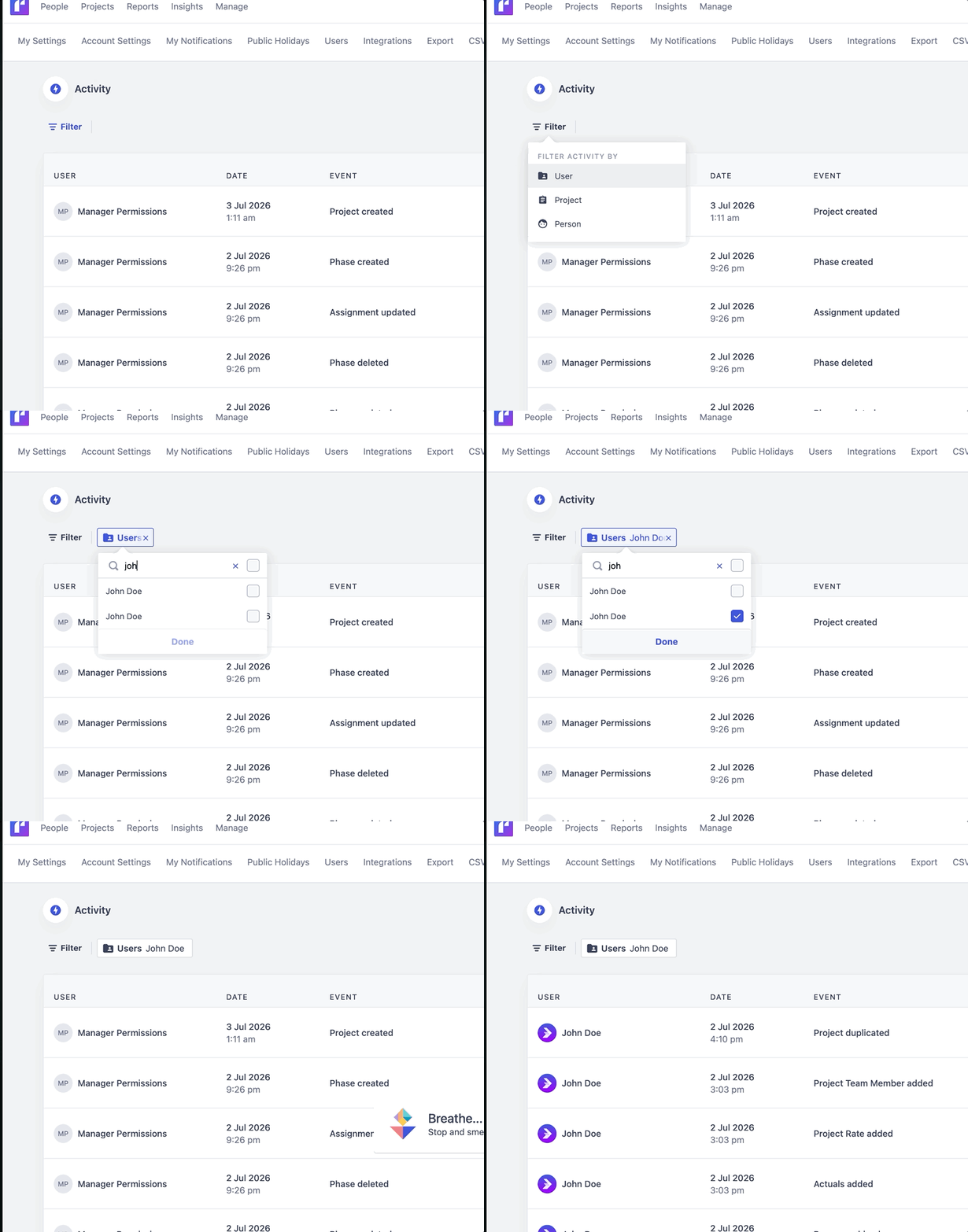
This update is available on all plans.
No action needed — this update will appear automatically.
Review user activity with ease. Filter the Activity Log by user to quickly find actions from specific team members.
Selected filter options now appear at the top of the filter list the next time you open it. This makes it faster to review and remove selections without searching through a list.
Easily keep your filters up to date. By bringing your selected options to the top of the list, you can quickly review and refine your selections without losing track of what you've already chosen.
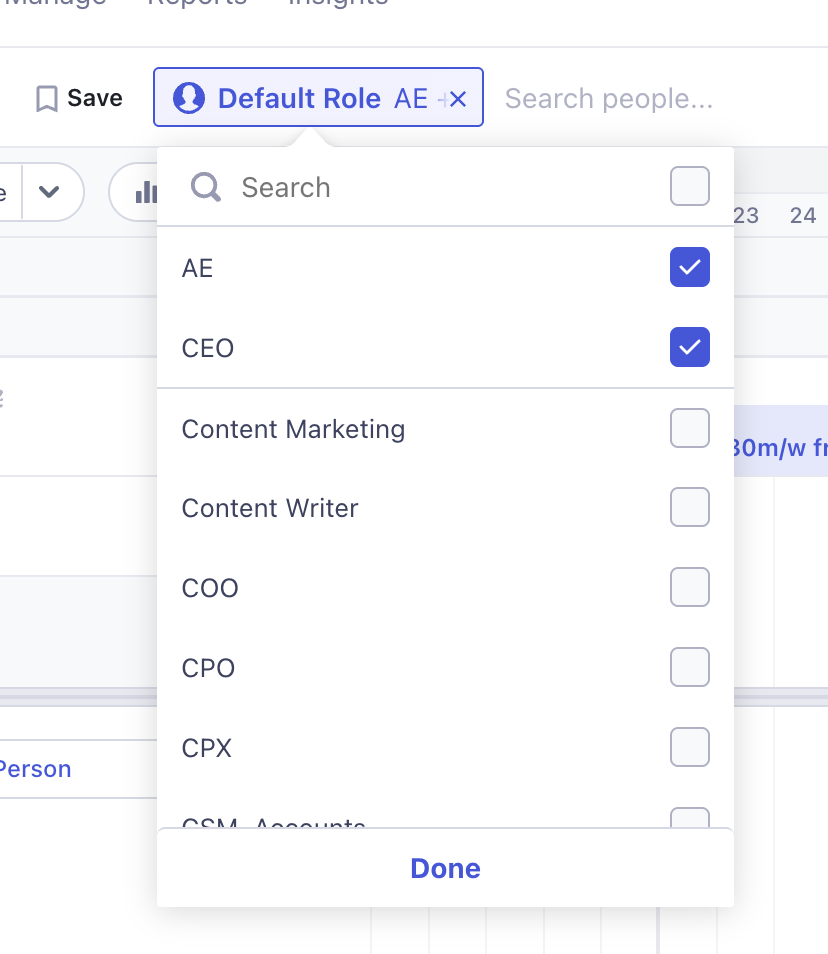
This update is available on all plans.
No action needed — this update will appear automatically.
Manage filters more efficiently. Quickly find and update the filters you've already selected without scrolling through a list.
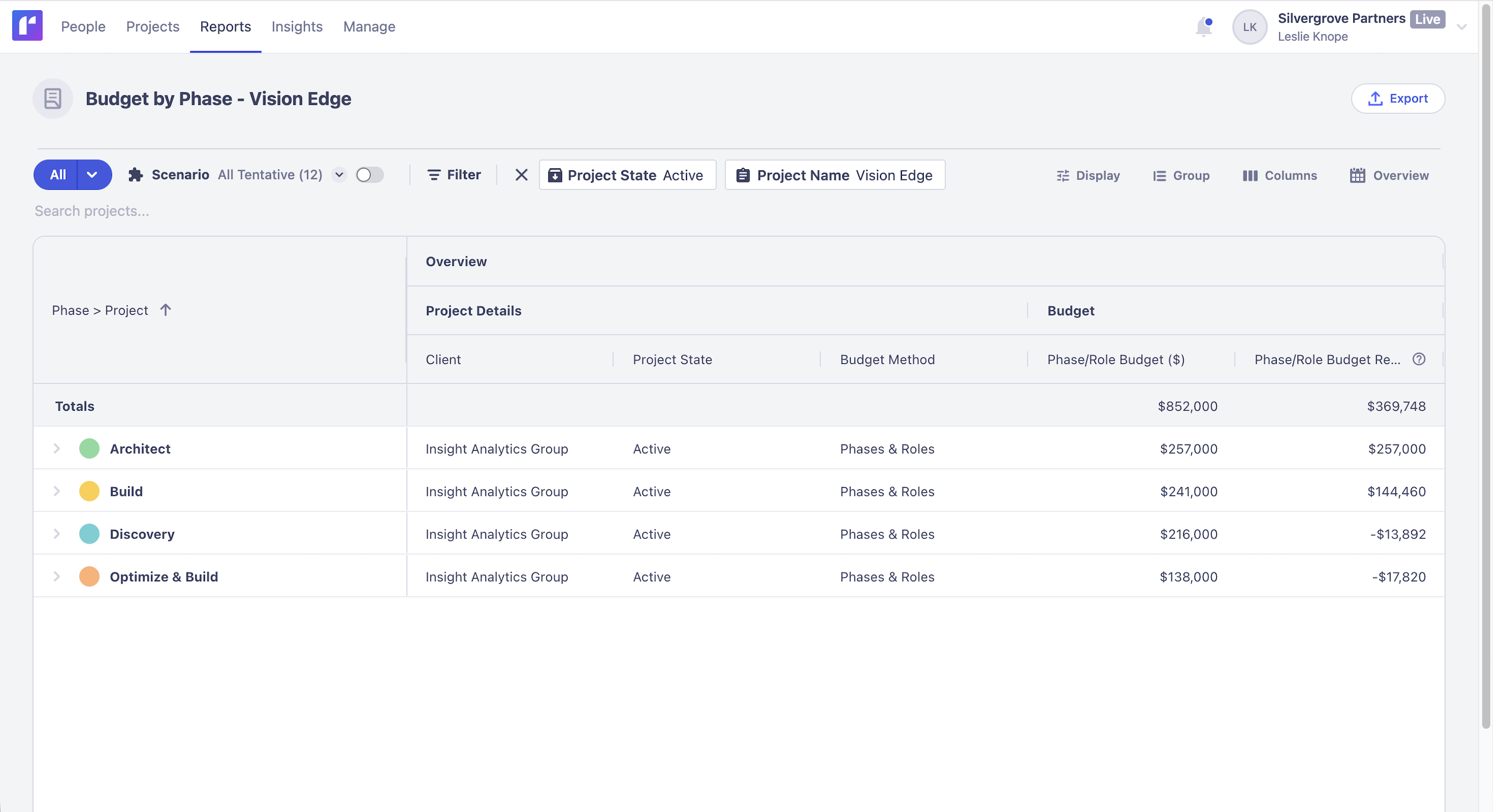
Budget remaining values for projects using Phases and Phases & Roles are now more accurate across reports. This gives you a more reliable view of your remaining project and phase budgets, regardless of the date range.
Accurate budget reporting helps you make better project decisions. By showing consistent budget remaining values across reports, it's easier to understand how much budget is left for your projects and phases, regardless of the date range.
This update is available on Standard and Advanced plans.
No action needed — this update will appear automatically.
Manage project budgets with confidence. View accurate remaining budgets for projects, phases, and roles across your reports, regardless of the date range.

